AI PDF to Text Converter
Stop manual typing and reclaim your time. Whether it’s a century-old handwritten letter, a complex academic manuscript, or a mountain of scanned office invoices, HandOCR’s engine breathes digital life into your PDF documents.
Your privacy is protected. Files are processed locally/securely
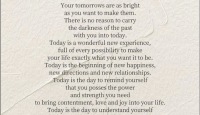
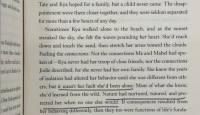
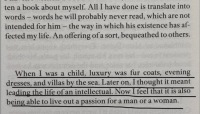
Supported Documents
What is AI PDF to Text Converter?
Traditional optical character recognition often fails when processing human handwriting or degraded scans. By utilizing deep learning, our AI PDF to text engine reads documents contextually, much like a human brain. This AI-powered PDF to text extraction ensures nearly flawless accuracy, transforming unsearchable images into highly structured data.
Handwritten PDF OCR
Our core engine is specially trained using advanced machine learning models to accurately convert cursive, standard print, and complex mixed-style handwriting from PDF documents into sterile digital text. Whether it is messy notes from a lecture or a century-old historical diary, this specialized AI PDF to text engine interprets the unique nuances of human touch, achieving an unparalleled transcription success rate that outclasses standard OCR on the market.
Batch Processing PDF to Text
Do not waste time uploading files one by one. HandOCR allows you to upload massive multi-page scanned PDF documents with no pressure. Our optimized cloud infrastructure processes all your document digitization requests simultaneously, drastically reducing wait times. From a single 100-page archive to a batch of handwritten forms, our scalable AI PDF to text service ensures maximum speed and seamless multi-page document processing.
PDF Layout Preservation
We go beyond just extracting characters. Our solution can extract text from PDF files while perfectly maintaining the original semantic layout. It intuitively recognizes paragraphs, hierarchical headers, numbered lists, and even complex column structures. When you convert a AI PDF to text, your output won't be a messy jumble; it will be a clean, structured digital document that is ready for immediate editing in any Word or Notion workspace.
Multi-Language Translation
Unlock global accessibility. Our system lets you convert PDF to text using AI across over 50+ global languages and dialect groups. HandOCR is engineered to handle complex scripts like Chinese, Japanese, Korean, and Arabic perfectly. Whether your AI PDF to text conversion involves a German report, a French historical letter, or a multilingual scanned notebook, our AI-driven PDF translation engine automatically detects the script and delivers high-precision results every time.
How to Convert Handwritten PDF to Text in 3 Steps
Follow these simple steps to convert PDF.
Upload Your PDF
Drag your scanned file into our secure online PDF OCR tool.
AI Analysis
Our engine initiates the AI PDF to text conversion, recognizing characters and filtering out background noise.
Export
Download your digitized document as a .TXT or searchable DOCX file instantly.
Who Needs an AI PDF to Text Extractor?
Ideal for Students, Legal Teams, and Historians.
For Students
Convert handwritten PDF to editable text for Notion, Obsidian, or Word.
For Legal Teams
Extract data from scanned legal contracts and printed archives securely.
For Historians
Digitize historical manuscripts and old letters into searchable text formats.
Frequently Asked Questions
Answers to your common questions.